Showing posts with label Photos Editing Softwares. Show all posts

Saturday, March 26, 2011

PhoXo - tiny, fast, easy to use, powerful, free, image and photo editor

PhoXo is a free and powerful image editing software. It’s tiny, fast, easy to use, can be treated as a mini PhotoShop. Its features include layers, undo, over 50 special effects, batch processing, and a wide variety of useful and powerful tools for selecting, crop, painting, retouching, measuring and navigation. Especially, you can easily add text effects to image, such as shadow text, ripple text, gradient color text etc. PhoXo web site provides a large number of resources, including step by step tutorials, thousands of free clip-art, frames, patterns, textures and shapes.
  
Download HERE  
Read More..

Tuesday, March 22, 2011

Free STOIK Imagic-Organize Photos with Ease

For Latest Posts Kindly Visit

http://softwaresaddicted.com/


All previous Posts also moved there


STOIK image editing program – easy image viewer and pics editor, video editor. Quick to learn and easy to use, STOIK Imagic makes managing your photos and videos fun. Bundling a blazing fast image viewer with convenient image organizer and comprehensive still and video editor, STOIK Imagic has everything to keep, share and perfect your memories. STOIK Imagic graphic software combines classic features with modern technologies, enabling lightning-fast browsing, viewing and searching.

Stoik Imagic – Photo, Video and pic editing software.

STOIK Imagic graphic editor software comes with a host of advanced features, making it a one-of-a-kind solution for photo and video enthusiasts and professionals.
We’ve made photo, video and image editing, improvement and enhancement quite easy. Let us introduce our cool image editor software. Why Stoik Imagic photoeditor program is the best solution for photo and video enhancement and pic improvement? It just has a user-friendly interface, and big array of features and possibilities. Let’s start!

Fast Image Viewer, Converter and Editor

Stoik Imagic image and photo editing software contains a big array of characters such as photo customizing, photo comparison, red-eye remover, pic resizing and rotating, photo cropping (face extraction), color, brightness, hue and contrast adjustments, and much more.

Image Viewer

Stoik Imagic photo editing software offers an excellent compact Image Viewer
Our excellent image viewer (or image browser) contains:
  • Main viewing options as zooming, flipping , cropping, rotation photos
  • Fullscreen display
  • Slide show maker
  • Thumbnail display
  • Printing
  • Screen capture
  • Support of animation (GIF etc.)
  • Fast moving between images
  • Palette options (color reduction, brightness and contrast adjustments, conversion to grayscale)
  • Photo resizing, mirroring, pictures rotating
  • Support of 15, 16, 32, and 48bit images
Stoik Imagic image viewer supports nearly all graphic formats such as RAW, BMP, JPG, JPEG, TIFF and popular digital camera RAW formats. With our image viewer you can:
  • Open file formats like JPG,BMP,GIF,TIFF,PNG,PSD
  • Set the delay between photos
  • Make stunning special photo effects like Cropping (Face extraction), Photo resizing, Flip, Rotate, Brightness and Contrast

Make Amazing Slideshow with Stoik Slideshow Maker

Stoik Imagic graphic photo editor program has an excellent slideshow maker for professionals and amateurs. Make a amazing powerful digital slideshow in a snap!
In just a couple of minutes you can create a professional slideshow presentation for you, for business or just for showing it to your friends and family. Stoik Imagic Picture slideshow software will transform your life memories and adventures from photos into dynamic lively movies with photo special effects and transitions.
What are the advantages of choosing Stoik Imagic slideshow creator?
  • Variety of photo special effects and templates
  • Burn finished slide show on DVD>/li>
  • Add music and videos as a background to your slide show
  • Add transitions and zoom effects
  • Publish your slideshows on the internet
  • Real-time preview
  • Create screensavers
  • Simple user-friendly interface
  • Pictures search on your computer
Stoik Photos Slideshow Maker contains a plethora of special 2D and 3D fade effects to make your pics alive and impressive. With Stoik Imagic slideshow software you can blow your sales up. Our Slideshow Maker is the fastest way to make the stunning slideshow!

Customizing Photos and Videos

STOIK Imagic graphic editor makes organizing and customizing your photo albums and video collections easy and fast.
With fast Indexing, easy cataloguing, and multiple navigation and search options, STOIK Imagic is second to none. Sort, group and customize pictures and videos by date, events, or any combination of custom tags. You can quickly browse pictures and videos by folder or by date, or click one of the tags to instantly view stills and videos from a specific occasion.

Fast Indexing

You can view your pictures and videos at any time, in real time by simply clicking a picture or pointing STOIK Imagic to a folder with photos and videos. And even if your digital collections are scattered all over the disk, STOIK Imagic will automatically organize them in just minutes. The new indexing algorithm scans thousands of images in just minutes, enabling advanced navigation modes, sorting and searching for all media files – no matter where on your PC they are located.

Multiple Navigation Options

STOIK Imagic image editing software presents a number of ways to browse your collection. Organize your media by the folder, use date and time to view images shot on a specific date, or create your own system by adding one or more custom tags to photos and videos. The tags are invaluable when accessing pictures from a specific event – or a class of events.

Automatic Digital Photo Enhancement, Repair and Restoration

Enhance photos completely automatically! Stoik Imagic photo and picture editor software is specially designed for photo and pics enhancement and correction (retouching digital photos, reducing noise, adjusting color balance, correct colors and bad exposures from digital cameras etc.). You can also make old damaged photos and pictures restored
The new Improvement Wizard will help you turn a bunch of ordinary snapshots into professional-looking masterpieces. Improve photos quite easy! The wizard will suggest and perform corrections for most image quality issues such as red-eye, under and over exposure, digital noise, color shift and white balance problems. You can approve all corrections or participate in the process by reviewing each change before and after it happens.
Stoik Imagic enhancement software contains following features:
  • Remove stains and scratches
  • Replace missing or damaged areas
  • Improve damaged colours to their original view
  • Combine images with each other
  • Color correction: enhance and adjust contrast, brightness, sharpness
  • Photo retouching and lightning special effects
  • Background change
  • Lighten or darken different parts of the picture
  • Red Eye remover tool
  • Auto Levels, Auto Colors, Auto Contrast
  • Noise reduction
In short, Stoik Imagic photo enhancement software has everything required to repair, restore, improve and enhance your photos and pictures. Using Stoik state-of-art computer software you will complete the problem of photo restoration, pictures repairing, photo retouch and enhancement.

The Advice Function – Picture Analyzer

The newly available Advice function automatically analyzes the quality of your pictures, suggesting a fix if any issues are detected. The new function can advise you about many common issues such as over and under exposure and contrast problems, color shift, excessive noise and wrong white balance.

Quick Fix for Your Photos

Fix pictures straight from the image viewer! The Quick Fix buttons offer a one-click solution to common issues such as noise, red-eye or wrong exposure. Simply select a picture in the image viewer and click a Quick Fix button to get the problem resolved!

Preserving the Originals

What if you dont like the results of a Quick Fix, Advice, or the automatic Improvement Wizard? STOIK Imagic offers an option to store the originals forever, allowing you to review the changes at any time and revert to the original file if you like it better.

Sharing Your Memories

Sharing your memories with others could not be made easier. Produce and upload designer Web Albums automatically. Upload photos to Google Picasa Web Albums. Send them by e-mail, make dynamic slideshows and burn them onto a CD or DVD.

Print photos!

STOIK Imagic photo editor software offers numerous print templates allowing you to print images at home or order prints online from many popular printing services.

Image Retouche

The built-in photo editor provides a variety of image retouching tools including:
  • Skin Makeup
  • Lens Correction
  • Exposure
  • Brightness/Contrast
  • Hue/Saturation
  • Color Variations
  • Unique Retouch Brush for retouching photos.
Image correction: the red-eye removal tools is available in fully auto and manual modes. Retouch photos quite easy!

Drawing and Editing Pictures

STOIK image editing program comes with a fully featured photo and picture editor, allowing you to modify photos or draw pictures with a set of drawing tools. The functions include:
  • Advanced Crop with document photo templates
  • Horizon for easy straightening of photos
  • Photo Collages
  • Photographic Edges and frames, and many more.

RAW Development and Photo Conversion

STOIK photo editing program comes with a complete digital darkroom, allowing you to develop RAW files produced by most popular cameras. The non-destructive Dark Room editor allowed you to take back any change or adjust any setting later on without compromising on the original quality.
Imagic Dark Room has everything to satisfy enthusiast photographers and photo professionals. Multiple photo and image enhancement tools and export options are available, with optimized JPEG export producing JPEGs up to 1.5 times smaller than competitors without sacrificing visual quality.

Panorama Stitching

Make breathtaking panoramas completely automatically! STOIK Imagic can seamlessly stitch panoramas with just one click. Simply select pictures in the image viewer and click Panorama.
STOIK Imagic will to the rest, taking care of aligning the detail, rotating images, and adjusting exposure and color balance if necessary.

Automatic HDR Images

STOIK Imagic photo editor software can create HDR (High Dynamic Range) images from a set of exposure-bracketed photographs completely automatically. Not only will it take care of slight change of angle and levelling; STOIK Imagic will automatically detect moving objects to avoid “ghosts” in your HDR files.

Geotagging

Put your photos on the map! With full Geotagging support, you can view your photos on the map, assign and edit geolocation information via Google Earth or Google Maps.

Integrated Video Editor

STOIK Imagic supplies an integrated video editor, allowing you to enhance and edit your videos just as easily as you edit still images. The process is easy as one-two-three:
  • Select photos and videos in Imagic Browser and click Video Editor to bring all selected media files to the Video Editor story board
  • Adjust brightness and contrast, rotate, clip or trim video clips
  • Apply special effects and transitions either manually or automatically
  • Add static or animated comments or titles
  • Record a voice-over, add a narration or enhance your clip with background music
  • Preview the result and produce your movie. Save in MPEG4, AVI, or WMV formats, or make an MPEG-2 file for burning a DVD.

Creativity Unleashed

Unleash your creativity with the many tools available in STOIK Imagic! Turn photographs into paintings or sketches, make fun stationary, and produce puzzle games made with your own photos in just a few clicks!

Turning Photos into Visual Games

Make exciting video games out of your photos! You can create and play visual games such as jigsaw puzzle, fifteen puzzle, and swap puzzle in just a few clicks.

Artistic Photo Effects

Turn your photos into masterpieces! STOIK Imagic is loaded with cool and fun photo special effects. Picture effects: turn a photo into a piece of art! Create oil paintings out of photographs, make your pictures look like hand drawings, add frames , edges, borders and much more!
Create framed picture, balloons, clipart, greetings cards, calendars, and other stationary. Decorate your images with powerful drawing tools, paint over them with a selection of brushes, and add various shapes and text effects.


Get this Software for free?
1) Download the SETUP from Here
2) After Installing Go to Help>Activate
and the enter the activation code as
Premium edition activation key :MX4SN1-153D7C-3ARLUT-ERU4FJ-CB2VFS-S5ZICF-Z8S82Y-LS22P2

You will get full version for free
You might also like:
Read More..

Sunday, March 13, 2011

Free Light Image Resizer from Obvious Idea - previously known as VSO Image Resizer


Free image resizer to resize and convert images


  • Resize, compress, convert, and create copies of your pictures


  • High quality results with fast multi-core resize technology


  • Create and e-mail friendly images or use them for web publishing


  • Rename, sort or add a watermark to protect your pictures.


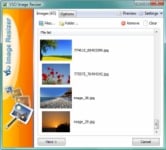
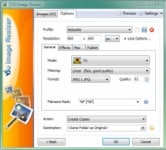
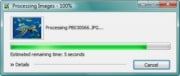
  • Resize and convert Resize pictures or convert them into different formats easily. Select your output resolution, create a copy, resize the original, move and/or rename files, or compress them and choose a specific destination for your processed images. Work on individual photos or edit large numbers of images by doing a batch resize in just one click.
    Extra settings
    Add your own watermark to protect your work or add a copyright to photos with html-like text formatting and transparency support. Customize pictures by converting them to sepia or add a border. Use the live preview to see what the final result will look like before actually processing the image. Image Resizer works on files, folders and subfolders, and supports RAW formats. With multi-core support integrated, convert images even faster. Launch the application easily from Windows shell explorer with a right click on the image or folder.
    Output and export
    Photos can be added directly as attachments, individually or in a ZIP file, to email by using the publish function, without exceeding the maximum size permitted by email servers. Create PDF files from your images, like jpg to PDF; do this for individual or multiple images. Edit, create, export, backup new profiles with your favorite settings. The most popular profiles are already pre-defined, such as FULL HD resolution wallpaper images, Ipod, NTSC, 640 x 480. Access to profiles in 1 click with the shell integration.
    Digital frame
    Transfer photos and optimize space on digital frames with the Digital Picture Frame Wizard. Resize pictures to the frame’s supported resolution, and add even more photos for viewing !

     
    Get this Software absolutely free?
    1) Download the setup from here
    2) Run the setup and while installing use the following key to register
     EV949 - 9B6UU - C3ZY6 - V56SE - HS6JR - 2


    Read More..

    Tuesday, March 8, 2011

    Photo Designer 7- The free software for your image editing!

    The free alternative to classic image editing programs

    Optimize your digital pictures the way you usually do: adjust color and brightness, correct image sharpness and lighten precisely defined areas. With just a few clicks, you can crop, rotate, mirror, and edit your photos in detail. You can even turn your photos into paintings or fun caricatures in no time using the included artistic effects.


    NEW! Selective lightening

    Are some of the details of the photo too dark or is a hard shadow spoiling the picture?
    Similar to classic dodging, you can use the "lightening" function to expose selected areas of your photo and to enhance them in different ways. You can customize the tool to your needs: from large with a soft structure to pixel precision. This enables you to make even detailed corrections.

    NEW! Remove objects

    Now nothing can ruin your photos! It's a cinch to remove bothersome objects from photos by replacing them with a similar background from the same image. Whether poles, power lines or signs, with just a few clicks you can edit your image and remove any flaws.

    NEW! Panorama montages

    Combine individual images seamlessly and in just a few steps to create fantastic panorama pictures. The photos are automatically combined into one picture. You can also correct details manually. The result: absolutely realistic panoramas!

    Creative effects

    Funny photo caricatures

    Whether caricatures, "body styling", or artistic distortions: use the "liquid paint" function to magically create funny caricatures with a few clicks. Give cranky colleagues big ears, have a friend sport a beer belly, or your boss look out from a frame with droopy eyes. Pictures can be easily distorted using the mouse.

    Download here:
    http://rdir.magix.net/?page=R8JSR2Z2QMKA


    Read More..

    Monday, February 28, 2011

    Free Ashampoo ® Photo Commander 8

    All the photo editing tools you need are included, you don’t need additional software: Enhance your images with the one-click optimizer. Remove the “red eyes” from flash photos, adjust colors, contrast, hue and many other parameters, resize, crop, rotate and add a wide range of special effects, including some brand-new effects in version 8.

    After editing you can then use the many integrated creativity tools to turn your photos into slide shows with music, web albums, photo collages, calendars and more. There’s also a Photo Collage tool that creates an attractive collage of multiple photos in seconds, with a 3D effect so that the result looks like a real collage of photos on a pin board with a background.

    What’s new in version 8

    Version 8 is a major update with countless improvements, but it focuses primarily on making everything even easier to use and more efficient than ever before. We have gone through every feature of the program and fine-tuned it to make a great product even better. New users will love how easy everything is to use, existing users will feel at home immediately, but with better tools and even faster, smoother performance.

    New features

    • Many improvements in the user interface
    • New calendar mode: Display images in all selected folders in a single list, sorted by year, month and date
    • New filmstrip browser mode: Shows thumbnails as a “rolling filmstrip” below a preview window
    • New multiple folder preview: Shows contents of all selected folders in a single window, including sub-folders
    • New function to add descriptions to photos – displayed as a caption and stored in the photo, readable by other programs
    • Improved editing tools with anti-aliasing for all objects for smoother images and higher quality
    • Instant printing for single and multiple photos – just click and select Print for an instant Print dialog with preview
    • Even better interactive full-screen mode for photos and videos
    • Faster photo viewer with better zoom features
    • New, more effective method for finding duplicate photos
    • Improved resizing quality
    • New photo effects
     Get this Software for free??

    1) Visit this Promo Page
    http://www.ashampoo.com/frontend/registration/php/regpopinstall.php?session_langid=1&edition_id=qqitwvaedvgnygswj4qqvnawvg33aztr

     Enter your email address and then click on senden

    You will be asked to make a ashampoo account or for those who have one can login

    You will be shown your personal key thereafter
    Download setup from here

    http://www.ashampoo.com/uk/gbp/dld/1018/Ashampoo-Photo-Commander-8/
    Read More..

    Monday, January 31, 2011

    Free Fileminimizer Pictures - Free compression software for your images and photos

    FILEminimizer Pictures is free software to reduce the size of your images, photos and pictures by up to 98% through our native file optimization technology. After compression, your photos and images are still in your image format and are still beautiful - but a lot smaller in size!
    Share your photos and images easily online on Flickr® and co. and send images easier via email. Optimize and upload photos easier to Facebook® with FILEminimizer's Facebook upload functionality and never waste time again.
    Before and After

    FILEminimizer Pictures Highlights

    • Compress your JPG, BMP, GIF, TIFF, PNG and EMF images and pictures by up to 98%
    • Keep the original file format - no unzipping required
    • Pack & Go: optimize your images and pictures and directly send them via email
    • Facebook Integration: compress your photos and upload them directly to Facebook
    • Search Wizard: find and compress pictures, images and photos on PCs and networks
    • Choose the most adequate compression from 4 different compression levels
    • Batch Process: compress whole digital photo albums at once
    • Advanced settings for lossless compression, handling of EXIF information, etc.
    Download here:

    http://www.balesio.com/fileminimizerpictures/eng/download.php
    Read More..

    Friday, January 21, 2011

    Free KODAK EASYSHARE Software

    [wg05_3a]
    [wg05_3a_subtitle_1]
    Organize
    Tag your photos and videos. Use 5-star ratings. Search keywords and ratings. View by calendar dates.
    Learn More
    [wg05_3b]
    [wg05_3b_subtitle_1]
    Create
    One-click editing photo gifts online at the KODAK Gallery. Hundreds of creative templates for home print projects.
    Learn More
    [wg05_3c]
    [wg05_3c_subtitle_1]
    Share
    Faster upload of pictures and videos to KODAK Gallery. Upload to Facebook™, and YouTube™. Copy to digital frames.
    Learn More
    Read More..

    Friday, January 7, 2011

    Free Boxoft Photo Magic Maker

    Boxoft Photo Magic Maker is software which provides you all-sided magic effects for touching up your photos. With easy clicks, you can create stunning photos with multiple amazing effects, such as dazzling star lights, artistic water waves, classical color types, and so on. You will enjoy the funny decorating process to make your lovely photos.

    • Edit images with adding multiple effects;
    • Directly get images form PC or Digital Camera;
    • Preview image effect while processing;
    • Support double-click to view picture;
    • Provides different kinds of effects: Sketch, Light, Star, Water, Weather, etc;
    • Support undo or redo your operations;
    • Allow save images in different formats: JPG, PNG, TIFF, BMP;
    • Enable print out edited images directly;
    • Allow choose Paper size or define manually before printing;
    • Support MirrorPrint edited picture.
    Get this software for free?

    1) Visit this Promo Page
    http://software-abo.de/anmeldung.php

     Enter details as shown above

    You will get your personal key in your inbox

    Download setup from here
    http://www.boxoft.com/photo-magic-maker/a-pdf-pmm.exe

    Install and enter the serial
    Read More..

    Sunday, December 26, 2010

    Free FlippingBook Photographer- Online Photo Album Builder

    Autoflow - Quick Photo Album Builder

    Newly we have introduced ‘Master’ (‘Autoflow’) for our new brand software for making photo albums - FlippingBook Photographer.
    ‘Autoflow’ – is a photo album wizard that can almost speak with you. It can ask what you need and offer all the best it can. For saving the time let the ‘Autoflow’ think and create for you. Just specify what you like and the intelli software will meet your expectations.
    It needs 3 easies steps to be passed by you to create an amazing photo album. Do you need to bring a new beautiful sight to the photos from the last-night event or summer vacation? Follow these steps and you would be happily surprised.

    Select Photos

    When you launch the ‘Autoflow’ wizard from the Control Panel of FlippingBook Photographer by clicking the ‘Autoflow’ button, it will start on the first step that will ask you to select the folder with your photos or specify the image files that you want to use for creating a photo album

    Select photos to create a photo album. After you select the images, you can see the thumbnails of the selected images within the window. Also the number of the images can be viewed any time at the bottom left corner. If you need to remove any of these photos, just select an image and click the ‘Remove selected’ button. When your list of the pictures is ready and you are sure to continue, click the ‘Next’ button to go to the next step of building a photo album.

    Add or remove photos to your photo album.

    Choose Templates

    The next window is similar to the first one, but it asks you to choose templates instead of images of the coming photo album. You do not need to choose the order of the templates or move the photos to the templates. All this routine work would be done by the ‘Autoflow’ wizard. Just select templates you need or remove that ones you do not like and the software will generate and show it for you in a moment. When you finish your templates selecting process, you can preview how it looks and can refresh the view of the images by clicking ‘Preview Pages’ button. Selecting a template is very easy. Open a window with all templates by clicking ‘Add Template’. To select a template just click on it or click once again to cancel the selection.

    Select the templates for your photo album. Also if you are going to remove a group of the templates select the first and the last items holding ‘Shift’ button on your keyboard. When you are ready and the templates and images of the photo album are selected follow to the ‘Customize’ step by clicking the ‘Next’ button.

    Let the ‘Autoflow’ wizard set the order of templates and images in the photo album.

    Customize

    This is the final step of the photo album creation when you can choose the look & feel: set caption of the photo album, page and background colors and also set a custom background image. The photo margin value can be changed on this step too. The caption of the photo album can be changed in the ‘Publication Name’ text field. Just type the name you want and continue with colors settings. Customize the colors of the photo album by clicking on the proper fields that will automatically engage the color picker tool.

    The Color Picker tool.
    Customize the look & feel of your photo album. Slide through the ‘Photo margin’ control to set the margin between photos or change the background with your custom image. After you set the margin and a background image you can click the ‘Finish’ button to open FlippingBook Photographer with your completed photo album. It takes several seconds to create and open the photo album with FlippingBook Photographer.

    A completed photo album. After you get the photo album on FlippingBook Photographer you can continue to design the look and feel or publish and upload it to your website. Enjoy an amazing photo album and save your time using new ‘Autoflow’ feature of FlippingBook Photographer.

    Test and Upload

    Before launching a ready HTML photo album in the browser right from your PC without uploading to you server some features might be blocked. This is caused by the Flash Player’s security policy for SWF files used locally. To solve this problem, you need to upload your photo album onto the website, or to add the photo album’s catalogue (folder) to the Trusted Locations list, with the help of this Adobe online editor: http://www.macromedia.com/support/documentation/en/flashplayer/help/settings_manager04a.html
    Now you can open your photo album in any browser or upload it to your FTP-server. Just move or copy files and folders from a destination folder to a directory of your server via any FTP client. After uploading on your server you can be able easily open it on the sited address and enjoy the photo album. Your photo album’s web address will look like this after uploading it to ‘photo-albums’ folder on your-site.com:  www.your-site.com/photo-albums/index.html. Remember that ‘index.html’ is a main page of your photo album (by default).

    How it looks on the browser Get this Software for free?1) Visit this facebook promo pagehttp://www.facebook.com/flippingbook?v=app_10442206389
    Click on LIKE button you will see a download link download and install to get full version 
    Read More..

    Thursday, October 7, 2010

    Free ACDSee Photo manager V8


    ACDSee is an award-winning picture viewer, graphic converter and digital image management tool.
    This digital photo software gives you intuitive, professional-quality imaging tools to get, view, organize, enhance and print your images quickly as well as share them over the Internet.
    The program lets you manage, decode and display over 50 image and multimedia file types. It comes with lots of great digital image viewing and multimedia playing features, including preview and full view windows, zooming and panning, a fun slideshow mode and a video file and MPEG viewer. Plus, you can listen to embedded image audio clips.
    ACDSee is also a great image browser for navigating your file system easily and viewing thumbnails quickly. Resizable thumbnails of your digital image collection appear extremely fast in a user-friendly contact sheet window.
    Image files can also be browsed in list, icons and file details mode and all browse modes include a convenient preview window. You can add comments to files and search for them by keywords. Plus, preview ZIP & LZH compressed files just like regular files, view TIFF Exif metadata and perform batch file conversion and renaming.
    Other features include enhanced folder hierarchy in the Photo Discs pane with complete thumbnail viewing, image description support for contact sheets, reduced database memory requirements and improved database reliability, edit support for EXIF metadata in TIFF files, quick search technology, burn basket, photo repair tools, and ITPC Metadata.

    Getting this Software For Free?

    1) Go to this Promo Page
    http://de.acdsee.com/covermount/ct/66498
    Enter your E-mail Address and click on "Abschicken"

    Check your e-mail address for your personalised key

    Download the Software Setup From here


    http://files.acdsystems.com/deutsch/installers/acdsee-8-1-100-de.exe

    Media Support Package for ACDSee 8 Photo Manager
    http://files.acdsystems.com/deutsch/plug-ins/mediapack2/setup.exe


    Note : This is a German Promotion Therefore setup i have given is also German any queries you can leave comment or can contact me
    Read More..

    Friday, September 17, 2010

    Get Full Version Ashampoo products For Free-Burning Studio 2010,Home Designer,Snap3, Winoptimizer6,photocommander7

    GenuineFree Software Exclusive

    Do not Copy Or reproduce as this offer is exclusive for Visitors of this Blog


    Ashampoo is giving Away it's 5Products For Free

    1. Burning Studio 2010
    2. Home Designer
    3. Snap3
    4. Winoptimizer6
    5. photocommander7
    Details About these Softwares Can be seen from Ashampoo Website here
    http://www.ashampoo.com/en/usd

    To Get these top Quality Products From Ashampoo

    Just Visit this Promo Page
    http://www.ashampoo.com/en/usd/lpa/gift

    Enter The Coupon Code as  ASH-444LW1

    Download all the Softwares For Free

    This is a Exclusive Coupon Code only for the Visitors Of genuine Softwares Blog
    So don't Miss it


    Read More..

    Free FILEMINIMIZER Pictures 2- Minimizes Photos to suite your need

    Screenshots des FILEminimizer Pictures 2.0

    fileminimizer-pictures
    fileminimizer-pictures2

    Minimizes   JPG-, BMP-, GIF-, TIFF-, PNG- und EMF- formats

    Getting this software for free?


    1) Visit this promo page
    Fill in the form

    2) Download setup from here

    Enter the key you will get after registration and enjoy fully working software for free


    Read More..

    Thursday, August 26, 2010

    Free Flash Gallery Factory- A Flash designer


    Wondershare Flash Gallery Factory Standard is a simple web photo album maker, its intuitive interface and clear workflow will guide you to create flash photo slideshow in minutes with ease and fun. You could turn your still photos to life with dozens of transition and motion effects, and apply free clip arts and text effects to decorate your web photo album.

    Remarkably Easy to Use

    Allow you to view and organize all your photos in one place, just simply drag and drop to choose. With intuitive interface and clear workflow you can accelerate to make flash slideshow and web photo album within clicks. No flash knowledge, coding or design skill are required.

    Edit & Retouch Photos and Music

    Let your photos look perfect with built-in editing tools, turn a color photo into black and white, adjust brightness or contrast, crop, insert description or hyperlink and more. Edit and coordinate background music with your slideshow, set when will play, select to loop the music automatically (or not) and fade in/out (or not) .

    The Newest Features New!

    Support to add intro/credit movies in your own customized template;
    Enable you to add logo for your created flash slideshow.

    Input File Format Supported
    Picture GIF, BMP, JPEG, JPG, PNG
    Video MP3, WAV, WMA
    Output File Format Supported
    Output SWF, EXE, XML, HTML, Email, Screen Saver, Share Album online

    What's New in Version 5.1

    • Support to add intro/credit movies in your own customized template;
    • Enable you to add logo for your created flash slideshow.

    System Requirement

    • Operating System: Windows 7/2000/XP/Vista
    • CPU: Pentium III/Athlon 500MHz or above
    • Memory: 512MB (1 GB or higher recommended)
    • Hard Disk: 500MB Free Space or above
    • Other Requirements:
    • Flash Player 10.0 or above
    • 1024 x 768 pixels resolution, 24-bit color display (32-bit Recommended)
    • Windows-Compatible Sound Card
    • Outlook Express is required to send email

     Getting This Software For Free?

    1) Visit this Promo page
    http://www.facebook.com/wondershare?v=app_11007063052
    2) Login to your Facebook Account .Click on Ilike and then become a fan.
    3) Enter the Details and check your e-mail for key
    4) Download the Software From here
    http://download.ourpix.com/fgf_standard_full13.exe
    5) Insert key And Enjoy fully working Software For Free
    Read More..

    Friday, August 13, 2010

    Free Screencapture Software-Ducklink

    DuckCapture: simple and ease-to-use screen capture tool

    DuckLink Screen Capture (AKA: DuckCapture) comes with four capture modes that make screen capture easy! Capture a window on your screen, region of your screen, or the contents of a tall web page that scrolls. Don’t waste time cropping your captures. DuckCapture exactly what you need.


    Capture Modes make it easy: in addition to full screen capture, the other three useful modes:

    Window Mode

    Capture a window

    Get just the window, not the stuff behind or around it.

    Capture a region

    Draw a box on the screen and capture whatever is inside.
    Scrolling Web Page Mode

    Capture a tall window by auto-scrolling

    Can’t fit it on the screen? DuckCapture auto-scrolls the window and grabs it all!
    (This functionality is available in version 1.0 which was released in 2008. Since 2.0, because of the Mac OS porting plan, it has been disabled. The fundamental work of new cross platform framework has been finished. After some minor defect fix, this functionality will be added soon.)


    Download from here

    http://www.ducklink.com/d/Install_DuckCapture.exe


    Read More..

    Friday, August 6, 2010

    Free Ashampoo® Photo Commander 7


    ScreenShots


    View, manage, organize and edit your digital media in one intuitive and powerful program.

    Ashampoo Photo Commander 7 is an all-in-one application for organizing, editing, sharing and presenting photo collections with additional audio and video playing and management capabilities.

    All the photo editing tools you need are included. Enhance your images with the one-click optimizer. Remove the red-eye effect, adjust colors, contrast, hue and many other parameters, resize, crop, rotate, add a wide range of special effects.

    After editing you can then use the integrated creativity tools to turn your photos into slide shows with music, web albums, photo collages, calendars and more.

    What’s new in version 7

    There are far too many improvements to list them all – we can only include the highlights here:

    3D hardware acceleration
    softonic_4stars_en The program now automatically uses the 3D processor in your computer’s video card to achieve a performance boost. If you have a 3D video card this significantly speeds up photo viewing and transition effects for smoother resizing and zooming, with additional smoothing for less “jaggy” images at high magnifications.

    New, more efficient media database
    The new automatic database that manages your media files is now both faster and more efficient, automatically updating when you’re uploading your media files on your PC. This means you can move files around without losing their tags (star ratings) and other data. The new database also makes scanning EXIF photo tags and MP3 audio tags much faster.

    Drag & Drop virtual albums
    The new Drag & Drop virtual albums (Favorites) organize your media files in folders without actually moving them – the same files can be included in multiple folders without creating multiple copies of the files. You can manipulate the files in virtual albums just like any other group of files: Add tags and star ratings, perform batch cut and crop operations, create slide shows and web albums and so on.

    Create panorama images

    This is a feature that many users have asked for. In version 7 you now have a tool for stitching together multiple photos to create a single large panorama image.

    Slide shows with “Ken Burns” effect
    The new quick slide show features the popular “Ken Burns” effect that zooms and pans on each image while it is being displayed. Just select the photos you want to include and press Ctrl+Space to start.

    Digital camera and scanner importer
    The new digital camera and scanner importer makes it quick and easy to import images directly from your digital camera or image scanner.

    Improved Callout tool
    A number of user suggestions have been implemented to improve the performance of the Callout (text bubble) tool, which now also includes the functions of the previous callout tool from Photo Commander 5.

    Media browser enhancements
    The media browser comes with many improvements, including advanced search by text, file type, file rating and age with a cut-off date. You can now also change the date and time of multiple files in batch mode and browse images without leaving Quick Fix mode – this makes it easier to apply quick fixes to multiple images. You can resize the thumbnail preview images in the media browser on the fly with a slider control.

    Find duplicate images with different names
    A powerful new function for finding duplicates will also find duplicate images with different names and images that are similar but not identical. You can enter the level of similarity in percent.

    Other Highlights

    Batch Processing
    The Batch Processing tool can save many hours of tedious work, converting to different formats and applying effects to multiple files in a single operation. Effects include resizing, brightness, gamma, contrast, color depth, rotate, invert, grayscale, drop shadows, borders, sharpening, watermarks, 1-click optimize and more. All these effects are applied to all the files in the selected batch.

    Quick-Fix Tools
    The Quick-Fix Tools gets results fast and will probably be able to handle almost all your photo editing needs. Features include one-click color and contrast optimization, photo straightening (if the camera wasn’t straight), red eye correction, cropping, rotating and more – all with a couple of clicks. All the tools are self-explanatory for instant results without hassles.

    Creativity and Productivity Tools
    Viewing and organizing your media files is just the beginning. Photo Commander comes with a whole suite of tools for sharing and using your photos creatively – both on the web and at home. You can mail your photos, export them to PDF files and burn them to CDs and DVDs. You can also create web albums, slide shows with music, photo collages, photo calendars, photo cards with frames, contact sheets, “photo mix” combinations and multi-image TIFF files (single-file slide shows). All these features are very easy to use – it’s basically a point and click process, the program guides you through every step.

    Audio and Video
    Ashampoo Photo Commander 7 displays videos and plays audio tracks just as easily as it can manage your photos – you don’t need to switch to separate player programs. You can zoom videos, play them in full-screen mode, extract screenshots, create video playlists and more. You get all the functions of a good audio player. Play and organize your audio tracks, create and store playlists and much more. You can also create multimedia playlists, combining photos with audio and video files.

    Skins and Plugins
    You can load different ‘skins’ to give the program a different look or even redesign the program’s user interface yourself. Photo Commander also supports plugins for handling additional file formats. A number of plugins are already available, including plugins for the Canon RAW, Kodak Flashpix, HDR .dds, Industrial Light & Magic HDR .exr and Joint BiLevel .jbg formats.

    New features

    • 3D hardware acceleration for a big speed boost
    • Much faster and more flexible media database
    • Virtual albums (Favorites) for better organization
    • Stitch images to create panoramas
    • Quick slide shows with cool “Ken Burns” effect
    • New digital camera and scanner importer
    • New advanced media search features
    • Find duplicate images with different names
    • Print multiple photos on a single page

    Getting This Software For Free?

    1) Go to This Promo Page
    http://www2.ashampoo.com/webcache/html/1/trial_step_1_7394_2_USD.htm
    2) Enter All the Details and Click on Send
    You will Automatically Be redirected to another page

    And then follow all the Steps as i have Many times posted and Recently posted in Ashampoo Burning Studio 10
    Read More..
    Related Posts with Thumbnails

    DMCA PROTECTED

    Related Posts with Thumbnails
    #navbar-iframe { height:0px; visibility:hidden; display:none; }